Fae Mobile · Android companion

Pick up the work without returning to your desk.

Fae Mobile brings your conversations and projects to Android with the same valid surfaces and model choices. Desktop remains authoritative; the phone is for continuing.

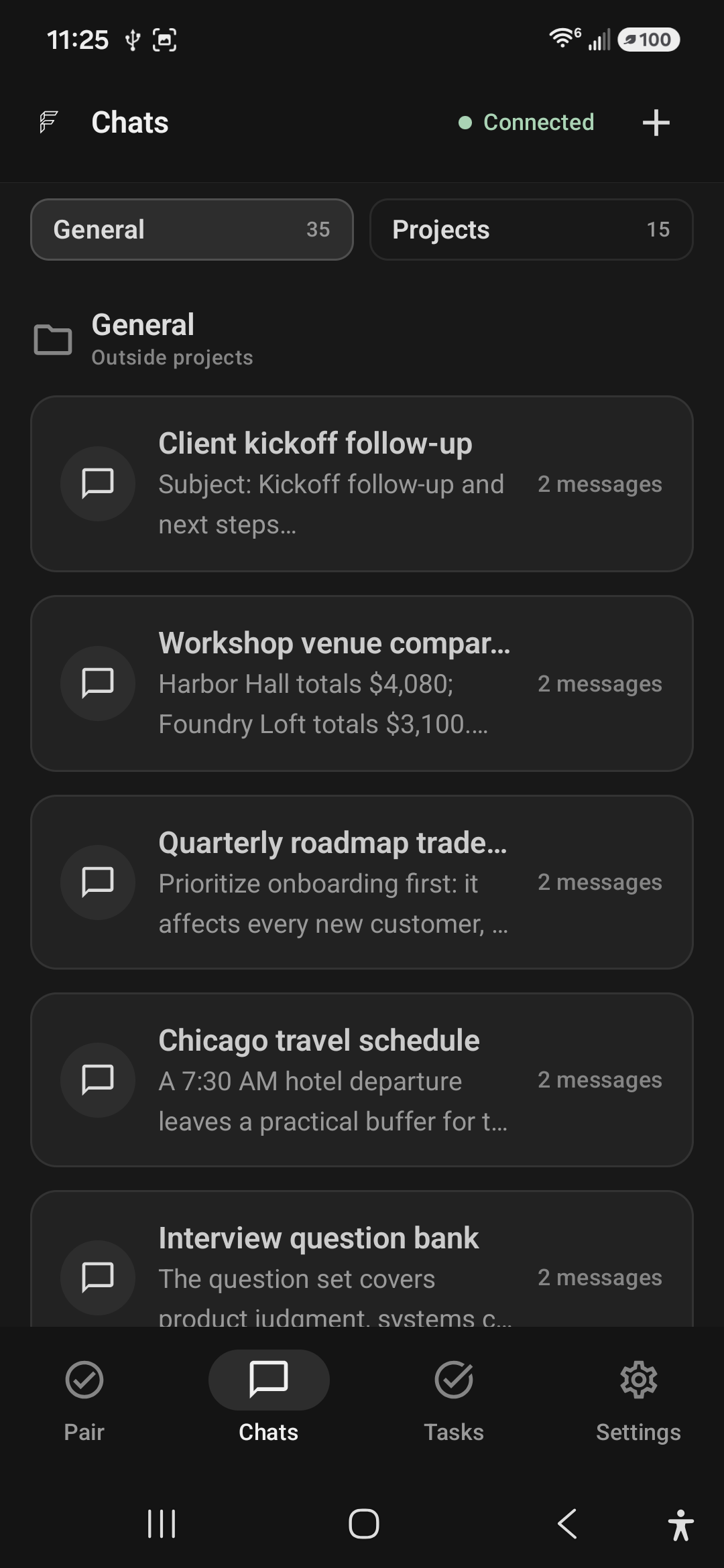
Fae Mobile Chats screen showing connected General conversation history for client follow-up, venue comparison, roadmap planning, travel scheduling, and interview questions.
General · work that started outside a project
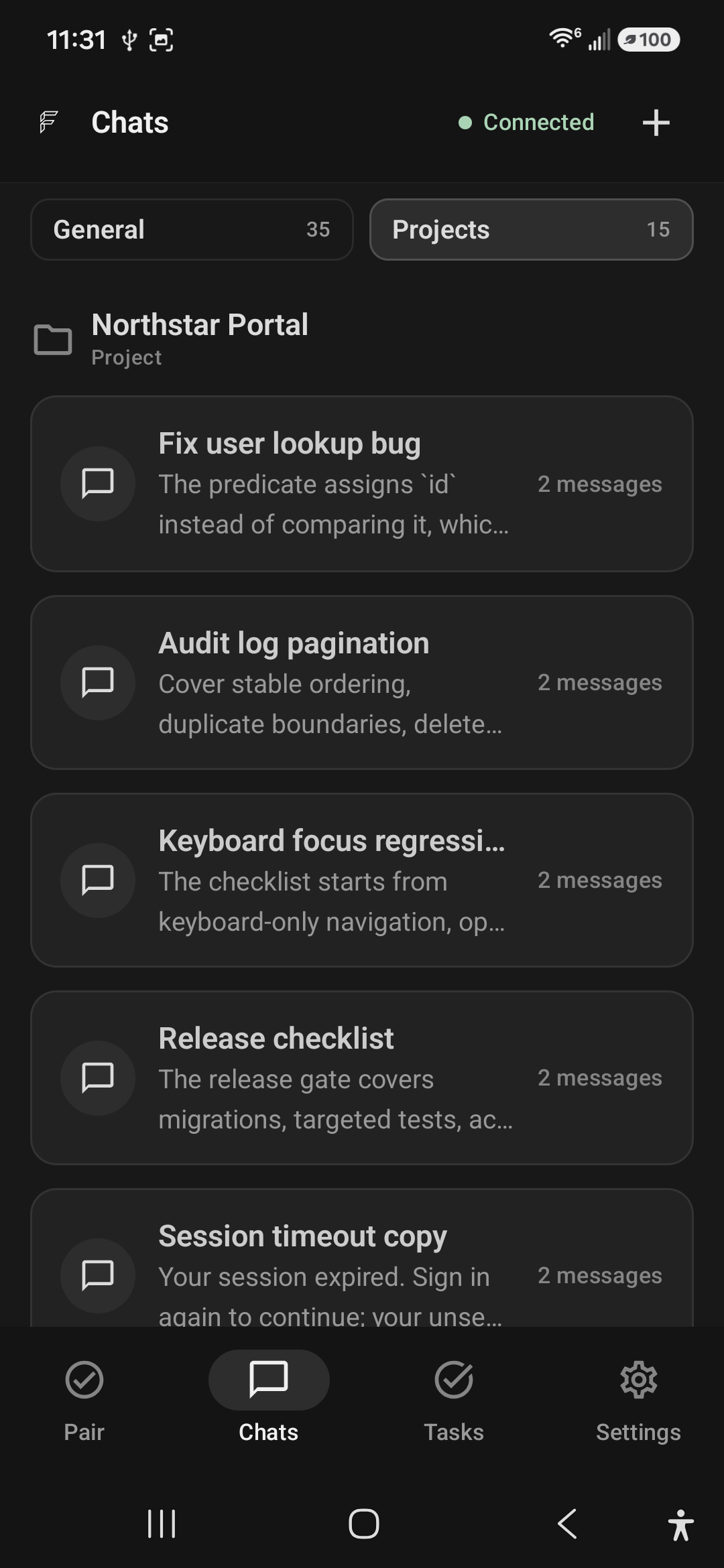
Fae Mobile Projects screen showing the Northstar Portal project with user lookup, audit log, keyboard focus, release, and session timeout conversations.
Projects · scoped history stays together
Paired access
Connect through Mobile Access in desktop Fae.
One history
General conversations and named projects stay organized.
Same surfaces
General, Work, and Code keep their desktop rules.

Real workflows

The useful next step, from wherever you are.

Continue the decision, draft, or review that keeps a real outcome moving.

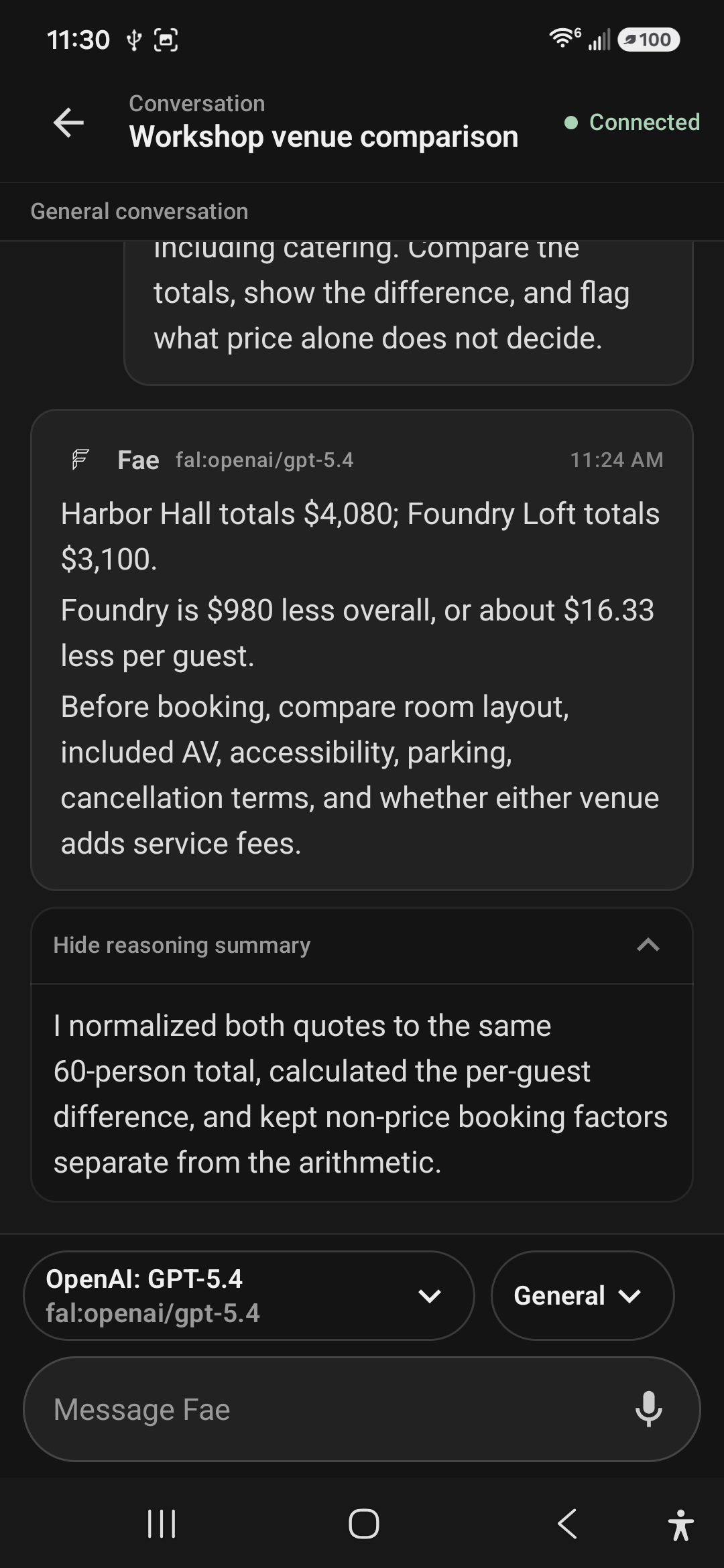
General · Decision support

Compare the whole decision, not just the numbers.

Compare total cost, accessibility, parking, AV, and cancellation terms in one answer.

  • Normalizes both quotes to the same 60-person total.
  • Shows the total and per-guest difference.
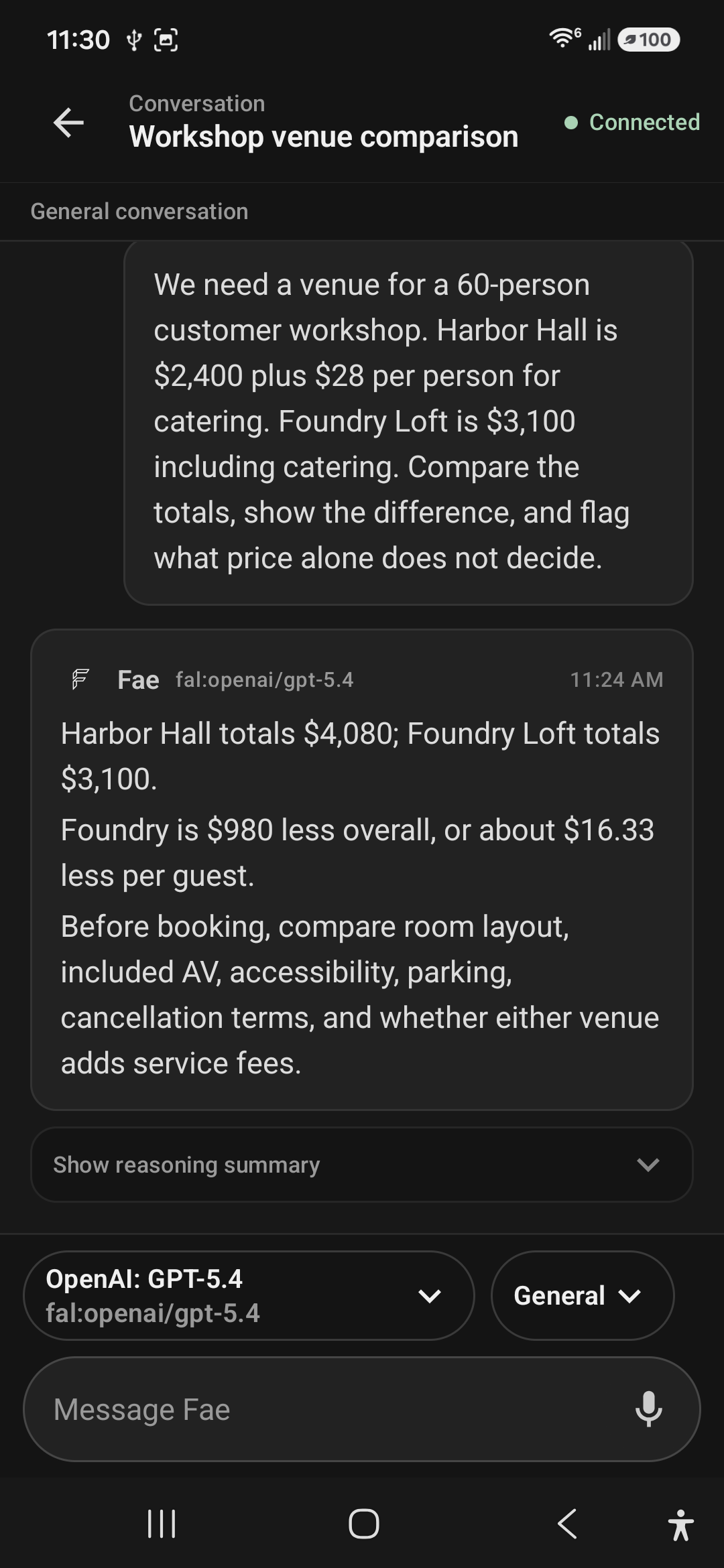
Fae Mobile General conversation comparing complete venue costs for a 60-person workshop and listing non-price booking factors.
General · venue decision with the complete request and answer

Work · Client communication

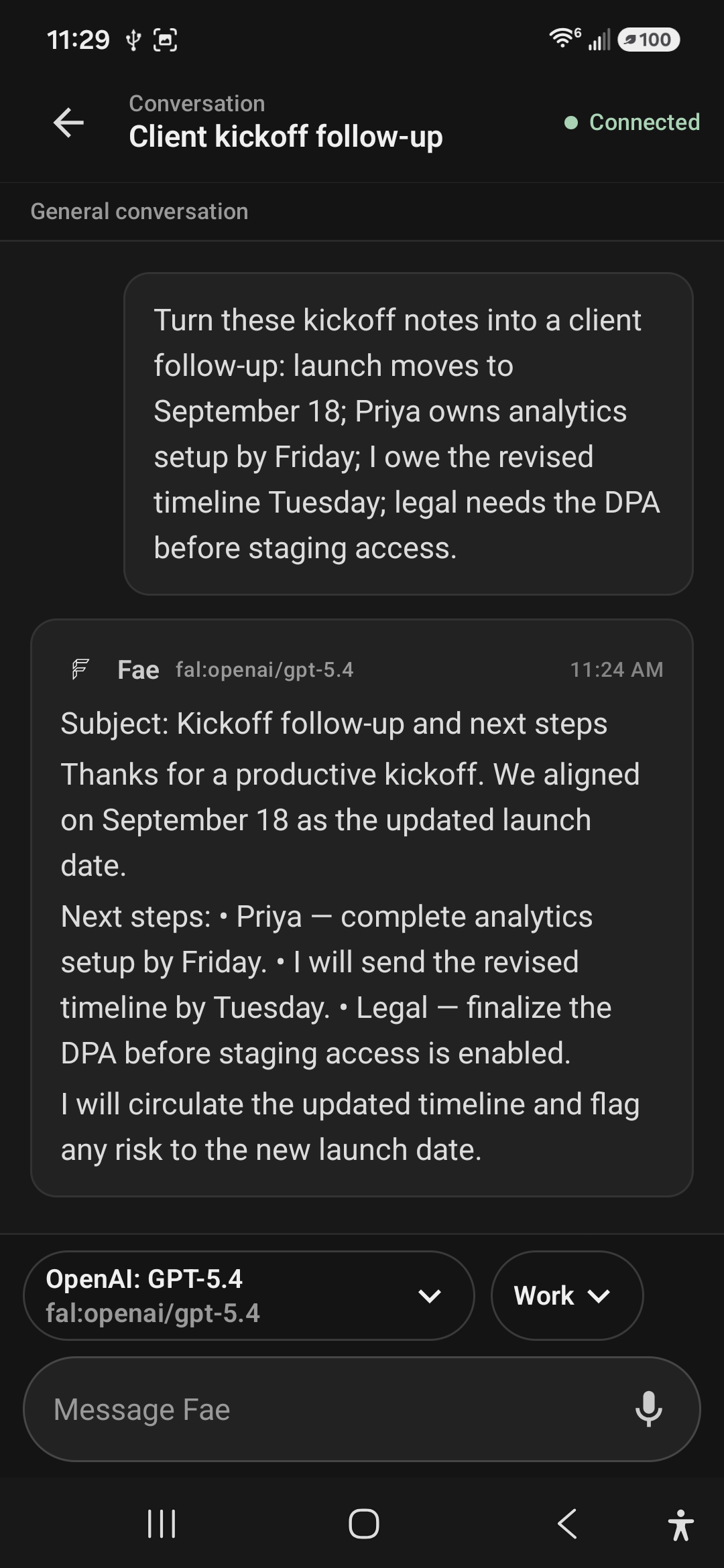
Turn rough notes into something ready to send.

Turn launch dates, owners, and legal dependencies into a polished follow-up. Work is selected before the turn.

  • Preserves every date, owner, and dependency.
  • Shapes notes into a clear subject and action list.
Fae Mobile Work conversation turning kickoff notes into a client follow-up with a September launch date, owners, and next steps.
Work · a client follow-up composed from real kickoff notes

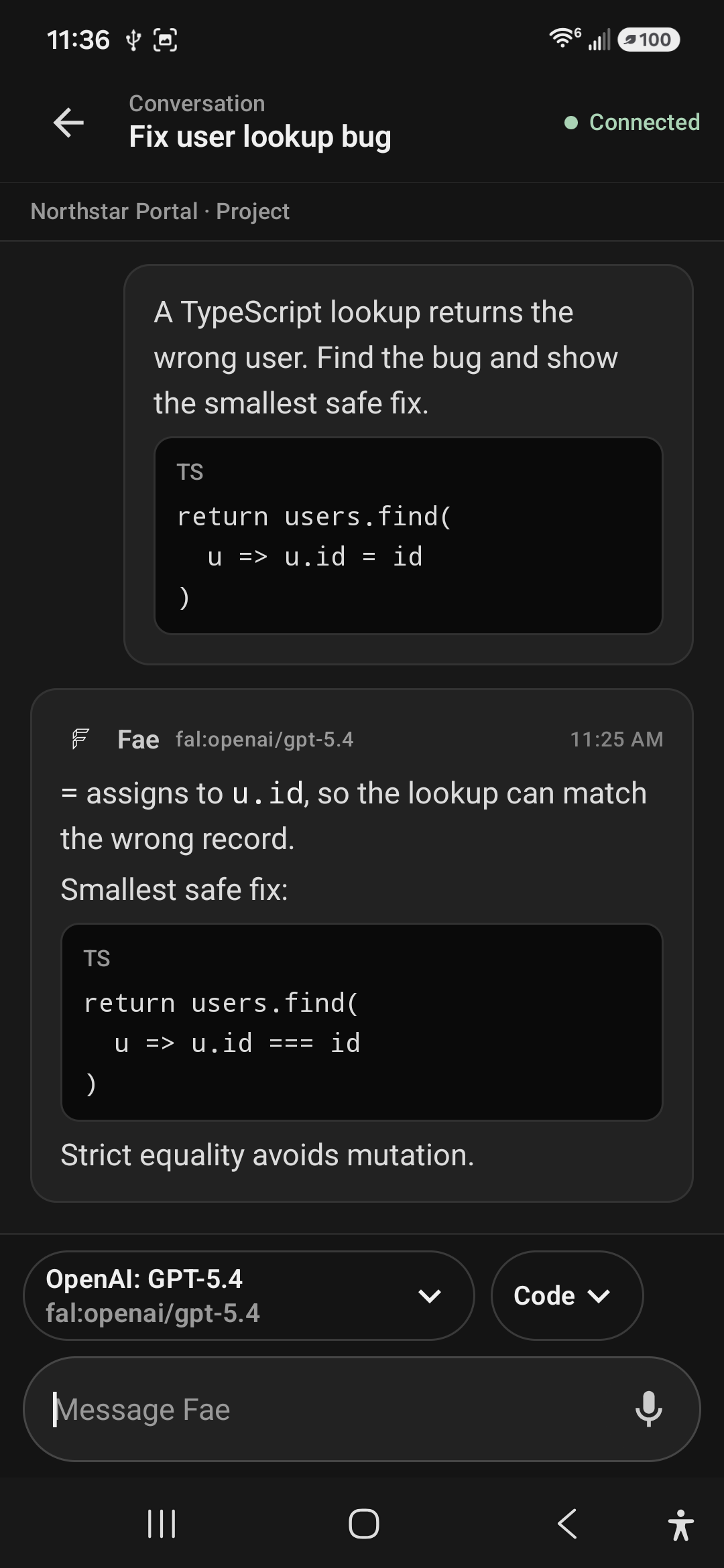
Code · Northstar Portal

Review a scoped bug wherever it surfaces.

Keep the project explicit, identify the assignment bug, and review the smallest safe fix—without exposing its filesystem.

  • Keeps the named project visible above the conversation.
  • Shows the faulty and corrected TypeScript without clipping.
Fae Mobile Code conversation in the Northstar Portal project showing a TypeScript assignment bug and its strict-equality fix.
Code · a complete before-and-after review inside its project
Fae Mobile venue comparison with the answer in the primary message and a separate expanded reasoning summary below it.
Reasoning expanded by choice · the answer remains the primary card

Answer first

The result stays readable. The reasoning stays available.

A saved reasoning summary appears below the answer in its own lower-emphasis disclosure—collapsed until you open it.

Primary
The complete answer remains visible in the main message.
Secondary
The reasoning summary lives in a separate collapsible container.
Deliberate
Expand or collapse it without changing the conversation.

A real companion boundary

The phone can continue the work. It does not become a second control plane.

Desktop Fae keeps project identity, allowed surfaces, models, and access rules consistent across both screens.

B-01

Desktop stays authoritative

Projects, providers, persistent model settings, permissions, and approvals remain desktop-managed.

B-02

Project data stays bounded

The phone receives safe project display details—not root paths, repository credentials, or file access.

B-03

Context rules stay intact

Standalone conversations allow General or Work; project conversations allow Work or Code.

B-04

Voice remains deliberate

Dictation fills the local draft through Android speech recognition. It never sends on its own.

Private beta · Windows desktop + Android companion

Keep the next useful step within reach.

Continue a real workflow from desktop or Android without losing its place, project, model, or surface.