Product
One workbench, built for the full arc of work.
Move from conversation to research, browser workflows, documents, and software development without losing context or control. Choose the model and workspace for the job, with permissions and results visible.
Models
Use the right model for the work.
Choose local, bring-your-own-key, or managed models based on privacy, quality, and speed. Context access stays explicit per provider.
Local runtimes
Ollama · llama.cppRun sensitive work on your own hardware with Ollama or llama.cpp.
Bring your own keys
Cloud, on your termsConnect providers you already use. Local context stays out of cloud requests unless enabled for that provider.
Managed beta access
Granted · visible · recoverableUse Fae-managed models when granted during the beta, with availability shown in Profile.
Control
Access is specific, visible, and reversible.
Files, browser actions, cloud context, connected services, voice, preview, and development tools are granted separately.
Choose the reach
Per workflow · per capabilityAllow only the files, browser actions, commands, and cloud context a workflow needs.
See what happened
Evidence attached to the resultSources, changes, browser receipts, approvals, and checks stay attached to the result.
Keep a path back
Recovery before supported changesSupported changes capture restore points before they land; limitations appear before work continues.
Browser
Search the web — or work in it — with the right level of control.
Fae separates web search, page reading, tab use, and browser control—with site scope and approvals matched to each level.
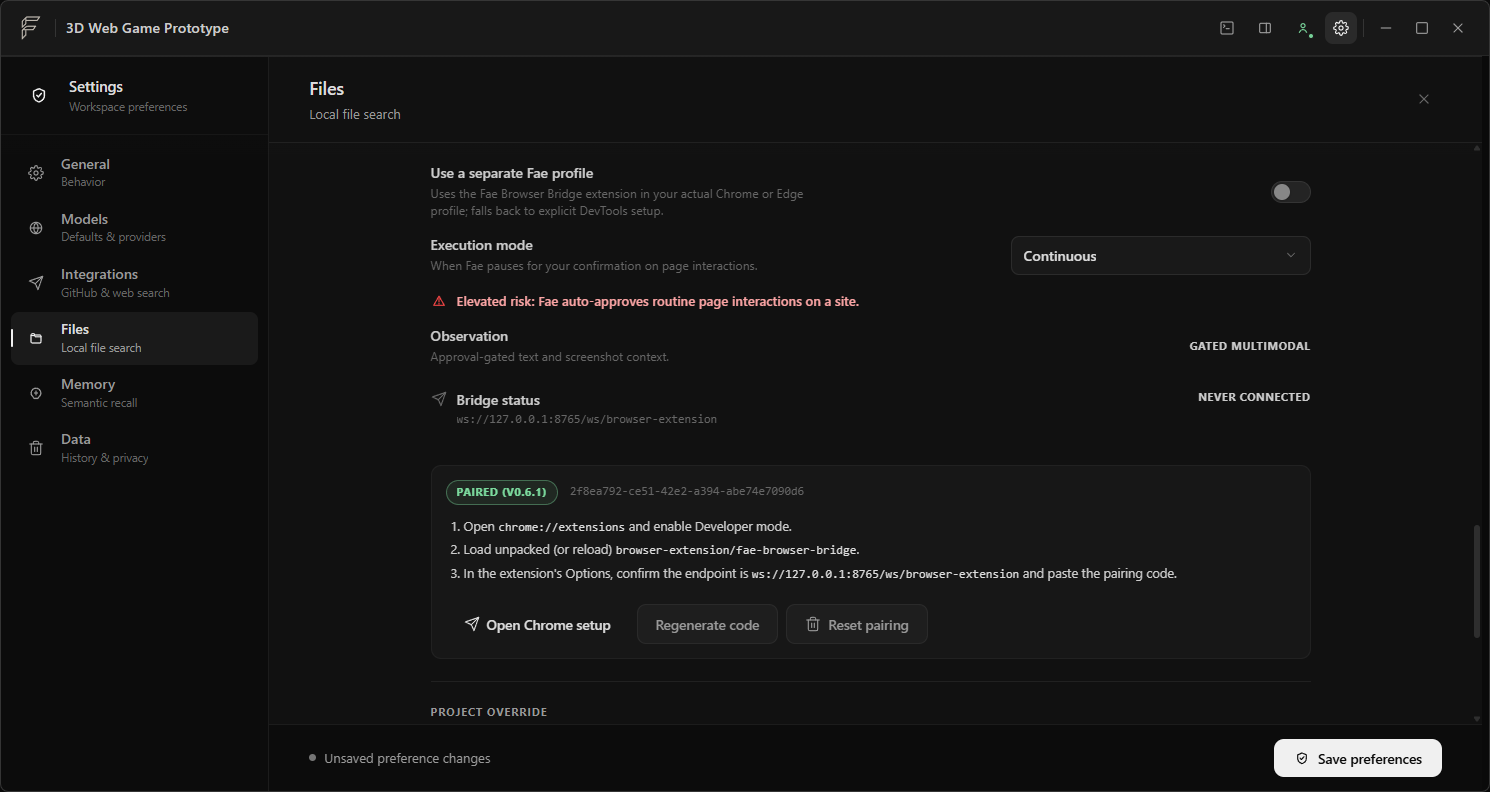
Browser Bridge
Connected when you need it. Constrained when you do.
Use Browser Bridge when a workflow needs an active tab. Deeper control stays visible and time-limited.
Preview
Keep the product beside the work.
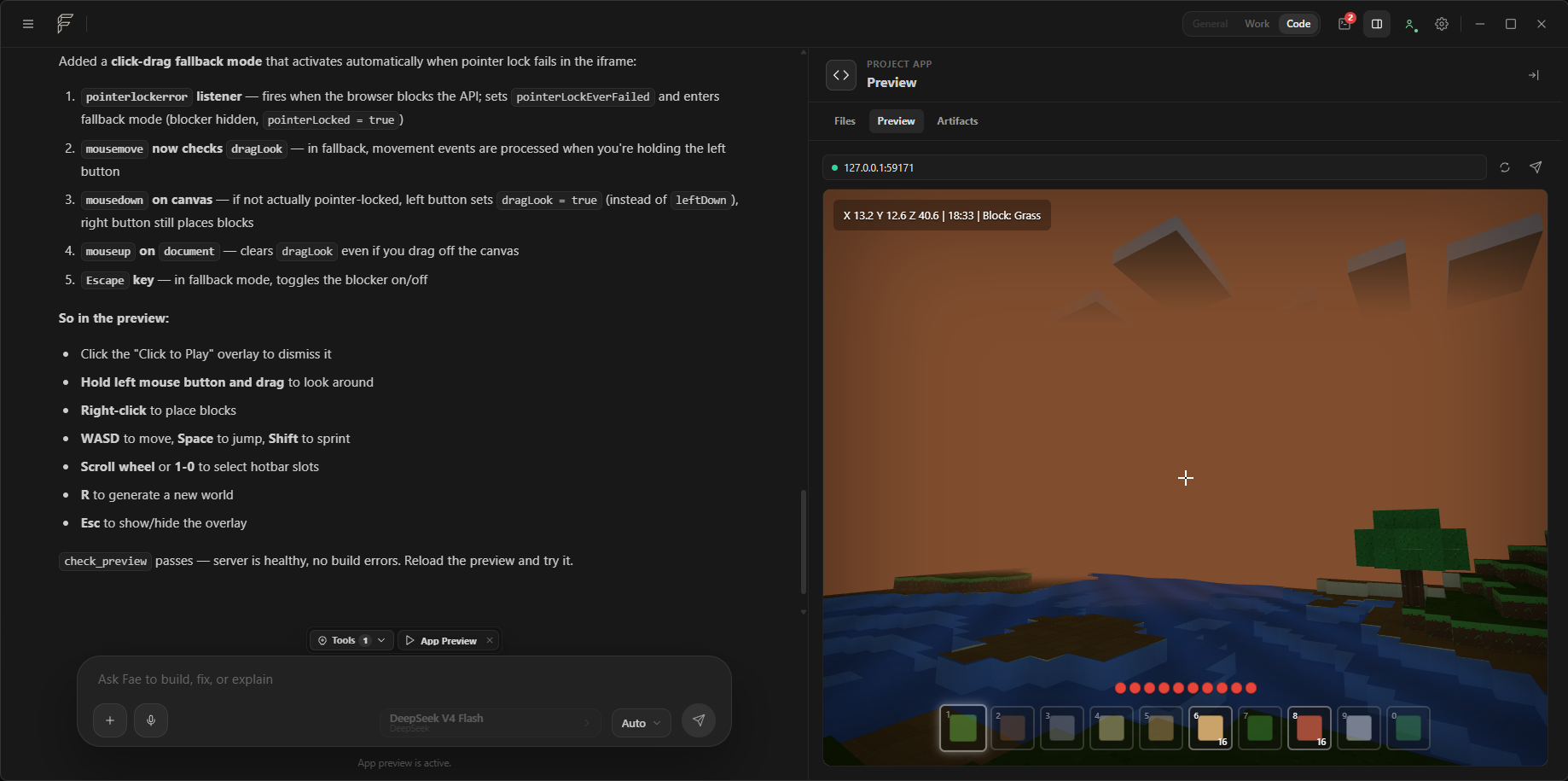
For software projects, a local preview can run beside the conversation so changes stay visible while work is in motion.
App preview
Build against a live result.
Preview controls, the running product, and implementation notes share one screen.
One workspace
Start with the outcome. Move between spaces as the work changes.
Stay conversational, move into research or browser work, create a document, or enter Code for project files, commands, tests, and preview.
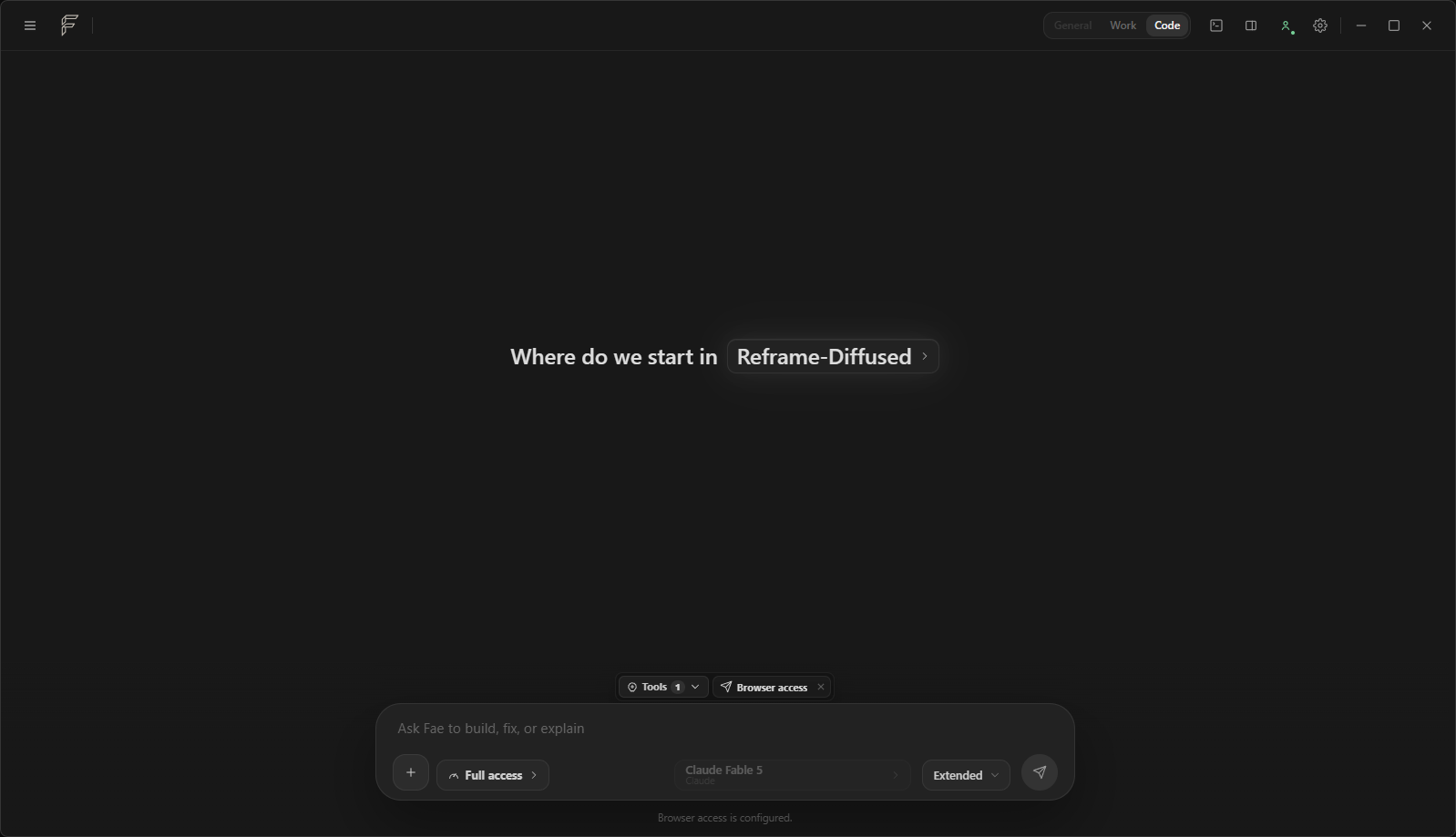
Ready state
Context and access are clear before work begins.
Project scope, browser access, file access, and model are visible before execution.
Private beta
Bring Fae a real workflow.
See how Fae fits a workflow you already run—from research to software delivery.